
Create a fun presentation to share with friends in HSRC!
What is a “Power Point Party”?
Power Point Parties are all about making a fun presentation to share with a group! You can use Power Point or Google Slides to make a mini-presentation with a comedic twist, and info-dumping session, or a serious attempt to convince your friends to like pineapple on pizza.
What to use: Power Point or Google Slides?
Power Point can absolutely be used for this, but we tend to stick with Google Slides for HSRC Power Point Parties!
How do I make a presentation?
Using Google Slides, you can use text, images, fun shapes, and more to make the presentation of your dreams! This video will show you how to use Google Slides quickly! Your presentation doesn’t have to be perfect. This event is all about being silly and keeping things casual.
What do I make a presentation about?
Please refer to the announcement made about the upcoming Power Point night to see what HSRC’s Power Point Party’s theme is. Feel free to make your presentation as unique and fun as you’d like!
How do I get my presentation approved?
You can send your presentation directly to Anne @hsrc on Discord by opening your Google Slide presentation and either of the methods below.
Method 1:
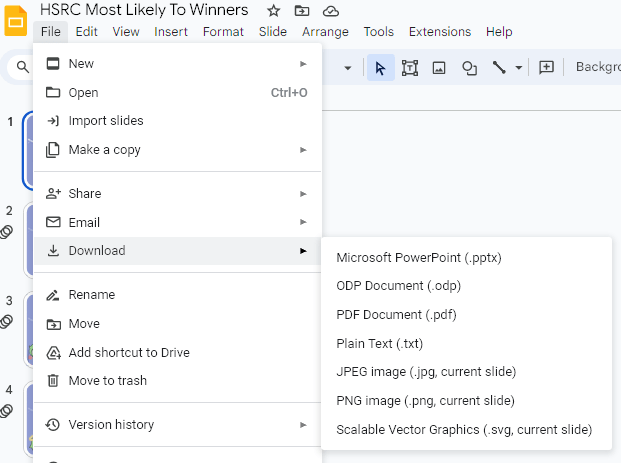
Download as a PDF or other document and send it to @hsrc on Discord.
Method 2:
Keep in mind that this method may include your email address being shared with Anne. Please only use this method if you are comfortable with that!
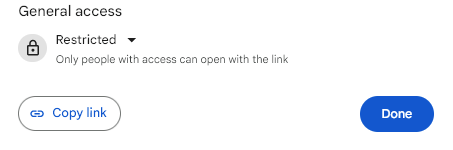
Click “share” in the top right corner of your screen

Then click download link and send it to @hsrc on Discord.
Have another question?
You can ask questions about this event here.
 The Homeschooler's Chat
You must be logged in to post a comment.